
The Top 10 Mistakes Security Camera Installers Make
You've spent hundreds, maybe thousands, on a security camera system. But chances are, you're making one of these 10 critical mistakes right now. Mistakes that could leave your system worthless, your footage lost, or worse. Let's break them all down so you can avoid costly callbacks and protect your reputation as an installer.
Mistake #1: Ignoring the Status Menu
You plug a camera into your NVR and it doesn't come up. Your first instinct? Panic and start troubleshooting everything. The cable, the switch, the power, even the NVR itself. But before you waste an hour jumping from one point of failure to another, pause for a moment.
Go into the NVR's camera section, hover over the status icon, and it will usually display helpful diagnostic information. Here are some common status messages:
Network Disconnected – The most vague one. This is where you then need to look into your other points of failure.
No Signal – This narrows it down to either a faulty cable or the camera itself.
Username/Password Error – This is the best one to find, because now you know you might have just mistyped your credentials.
That one status message could save you an hour of wasted diagnostics. Many technicians call in with cameras not connecting, only to find that hovering over the status showed exactly what needed to change.

Mistake #2: Forgetting to Waterproof Cables
There's nothing worse than finding out you have to replace a cable or an entire camera because water got into the ethernet port or power adapter corroded it.
Every camera should have a waterproof collar included in the box, specifically designed for the ethernet cable. If for some reason it's not included, these collars are super cheap and super easy to install. If you're using a separate power adapter, make sure to grab some waterproofing tape for that connection as well.
That five minutes of prevention during installation saves you from return visits and angry customers down the road.
Mistake #3: Not Updating Firmware
Your camera ships with firmware installed on the day it was manufactured. That could have been 6 months ago, 2 years, maybe longer. In that time, manufacturers have patched security vulnerabilities, fixed bugs, and improved performance. All of which you're missing by ignoring firmware update notifications.
Why does this matter? The security patches that close potential exploits attackers can use, and bug fixes improve stability and compatibility. A camera might drop off the network due to firmware issues, or you could experience latency with a delayed or bugged live view.
Check your NVR interface every few months. There's usually a spot where you can have it automatically detect if firmware updates are available. If your system isn't connected to the internet, you can download the update from the manufacturer's website onto a flash drive and manually install it from there.
Taking 10 minutes to update firmware during the installation process prevents future headaches and security concerns.
Mistake #4: Aiming Domes with IR Reflecting Back
Cameras with infrared (IR) LEDs are amazing in low light. But if you accidentally catch a reflective surface like the eave of a house, a shiny wall, or wet pavement, the IR can bounce directly back into the lens.
The result is a blurry, washed-out night vision image that totally defeats the purpose of the camera. And this is often noticed too late. Sometimes when you're searching for crucial footage.
The biggest thing to check is objects much closer to the camera than the rest of the scene. When light reflects off of something very close, the camera can't handle the stark difference in IR reflection at the same time.
Do a quick check in the camera's frame during installation and make sure there's nothing too close that could reflect IR. A 5-minute adjustment can save you from having to return to a site and find a new spot for the camera.
Pro tip: Use the flashlight and camera on your phone to simulate IR and see what would reflect back in the frame.

Mistake #5: Motion Detection Left on Standard
Unless you're running older firmware that doesn't have this option, you most likely have at least one motion detection setting better than the standard. Sometimes it's called “Ultra Motion Detection”, sometimes it's called “Motion Detection Plus. Whatever it's called, it is better than the standard setting because it can much more easily filter out false alarms.
Standard motion detection triggers on any change in the frame. From a leaf blowing in the wind to changing shadows from a passing car's lights. Your customer gets bombarded with false alerts and stops trusting the system. Advanced motion detection uses smarter algorithms to ignore these common triggers while still catching actual movement.
Spend a few minutes configuring the better motion detection option during your installation. It's a quick win that dramatically improves the customer experience and reduces support calls.
Mistake #6: Returning “Faulty” Cameras Too Quickly
Have you ever had cameras thought to be dead out of the box? We sure have. But before you send it back for a replacement, are you absolutely sure it's the camera?
Test the camera with a store bought cable. Then try switching the port on the NVR. If it isn't on PoE, your power adapter could be at fault. Take the time to verify the camera is 100% the broken link before wasting your time with returns and waiting for a replacement.
We've received plenty of cameras back that actually worked perfectly fine. The issue was something else in the setup like a faulty NVR port or a poorly crimped cable.
Mistake #7: Hard Drive Never Initialized
This one can be hard to detect because it often masquerades as a bigger problem. Your customer calls and says footage isn't being saved. Your first thought might be: the NVR is broken. But more likely, you didn't initialize the hard drive.
When you install an HDD in your NVR, it's understandable to assume it's working. But you actually need to go into the settings and initialize it. The drive isn't dead or broken. It's literally just doing nothing sitting inside.
Here's what to do: Go into the NVR interface and find the storage tab. There should be an option to “Initialize” or “Format.” It'll take a minute or so, and then you're good to go. Your drive will be ready to start recording.
This simple five-minute step prevents angry callbacks and protects your reputation.
Mistake #8: No Power Backup (No UPS)
When a storm hits, your system might lose power. Maybe for 30 seconds, maybe for an hour. Your entire security system goes dark. In that time, someone could be breaking in, and you'd have zero footage to prove it.
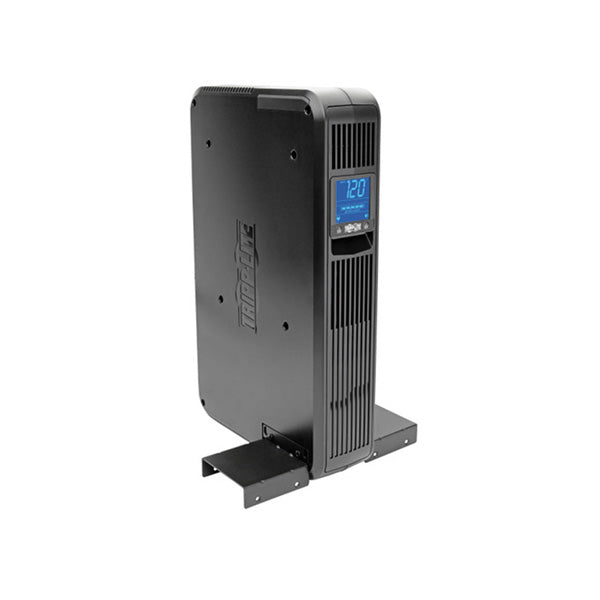
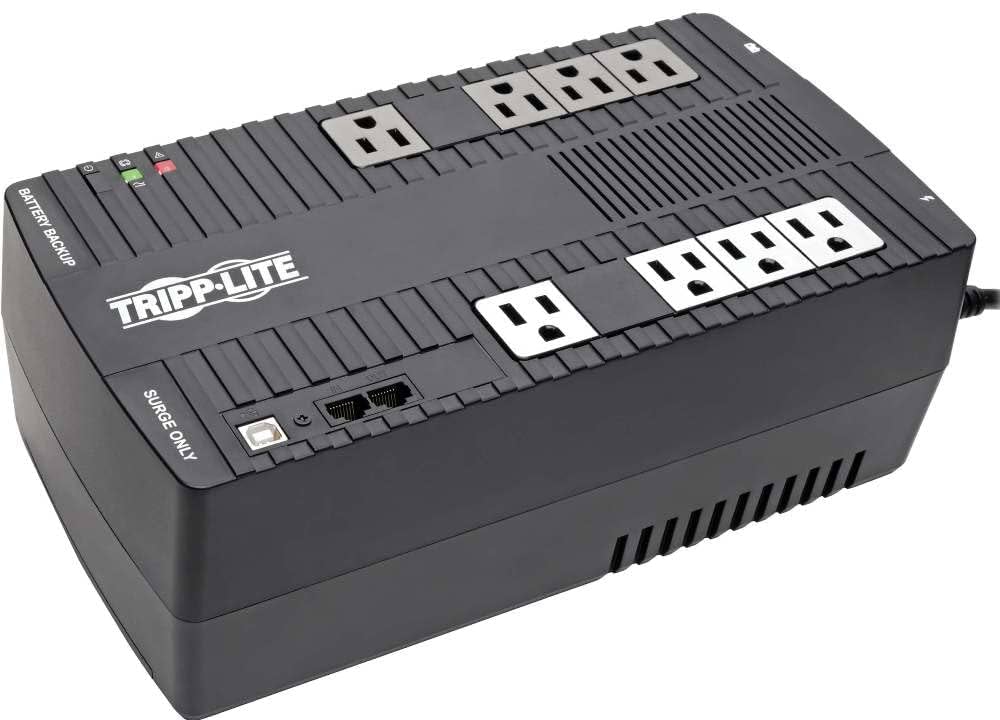
This is where a UPS (Uninterruptible Power Supply) comes into play. Even a small one can keep your NVR and cameras running for 15-30 minutes. That's enough time for power to come back on naturally, or gives you time to shut the system down properly without corrupting your hard drive or getting shorted out from a lightning strike.
You don't need a massive, expensive backup solution. Just something to bridge the gap and make your system more reliable and stable. Your customers will thank you, and you'll sleep better knowing their security system won't be completely vulnerable during a power outage.
A UPS is a relatively inexpensive addition that adds tremendous value to any installation. We have a few linked at the bottom of this post if you want to check them out.
Mistake #9: Not Enabling Audio Recording
It's finally happened. You caught an intruder on your cameras, but they're masked. They drive off and you don't know where they went. Maybe they talked about their plans. Maybe the police could have used the audio as evidence. But as you go to check, all of the footage is silent.
You probably made Mistake #9: not enabling audio recording.
Now, this doesn't apply to every camera. Sometimes you don't need audio, and not every camera has a built-in mic in the first place. But the biggest mistake is not double checking. Confirm in the settings of your camera in Video and Audio. There should be an option similar to “Enable Audio Recording.”
Audio adds significant value to security systems. It can help identify suspects, provide context for what happened, and even assist law enforcement. Don't overlook this feature.
Take two minutes to enable audio when you're setting up the system. Your customers will appreciate the added layer of security.

Mistake #10: Trusting Your Cable Tester 100%
You run a cable through your walls, plug in a tester, get a perfect green light, and call it done. But then, the camera doesn't come up. It couldn't be the cable, right? You tested it.
Well, there's a good chance you're right. But the assumption that a cable tester is never wrong is dangerously flawed. A cable tester only checks connectivity. It verifies that all the pairs are present on both ends.
If there's too tight of a turn in the cable, or if the pairs aren’t as tightly twisted at some point in the run, there can be crosstalk among the wires. The cable tester will show “hey, we've got all pairs present and active on both ends,” but it won't be transmitting data as part of the test. The actual data transmission can fail because of these issues that the tester never caught. Sometimes it’s due to PoE or the way that video data is transmitted across the lines.
Don't rely solely on your cable tester. Use it as one tool in your diagnostic arsenal, but always do a proper installation check. Test the actual camera connection with a store bought cable if needed. Visual inspection matters too. Sometimes you need to re-run a cable if the bends are too tight.
The green light is a good sign, but it's not a guarantee. Trust, but verify.
Final Thoughts
These are all common mistakes we have either made ourselves or have helped our dealers troubleshoot. They are the difference between a rock-solid installation and a system that fails when your customer needs it most. By avoiding these 10 mistakes, you'll reduce callback rates and service calls, improve customer satisfaction and system reliability, and save time and money on troubleshooting.
If you find yourself dealing with issues beyond these 10, consider joining our Dealer Program, where you'll have access to lifetime tech support! It's completely free, and you get even more benefits like custom pricing, free branding, and access to monthly webinars. We've also just released the Dealer Vault! It's a collection of non-branded marketing materials you can share with your customers. We'll also be putting up more in-depth reviews and installs of products here at Nelly's.
Join our Dealer Program
Are you a security professional looking for a partner to help your business grow? We've designed a program specifically for your success.